

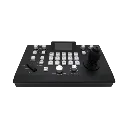
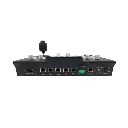
AVONIC · PTZ CAMERA CONTROL
AV-CON300-IP
Hands-On Control.
Flexible Camera Connections.
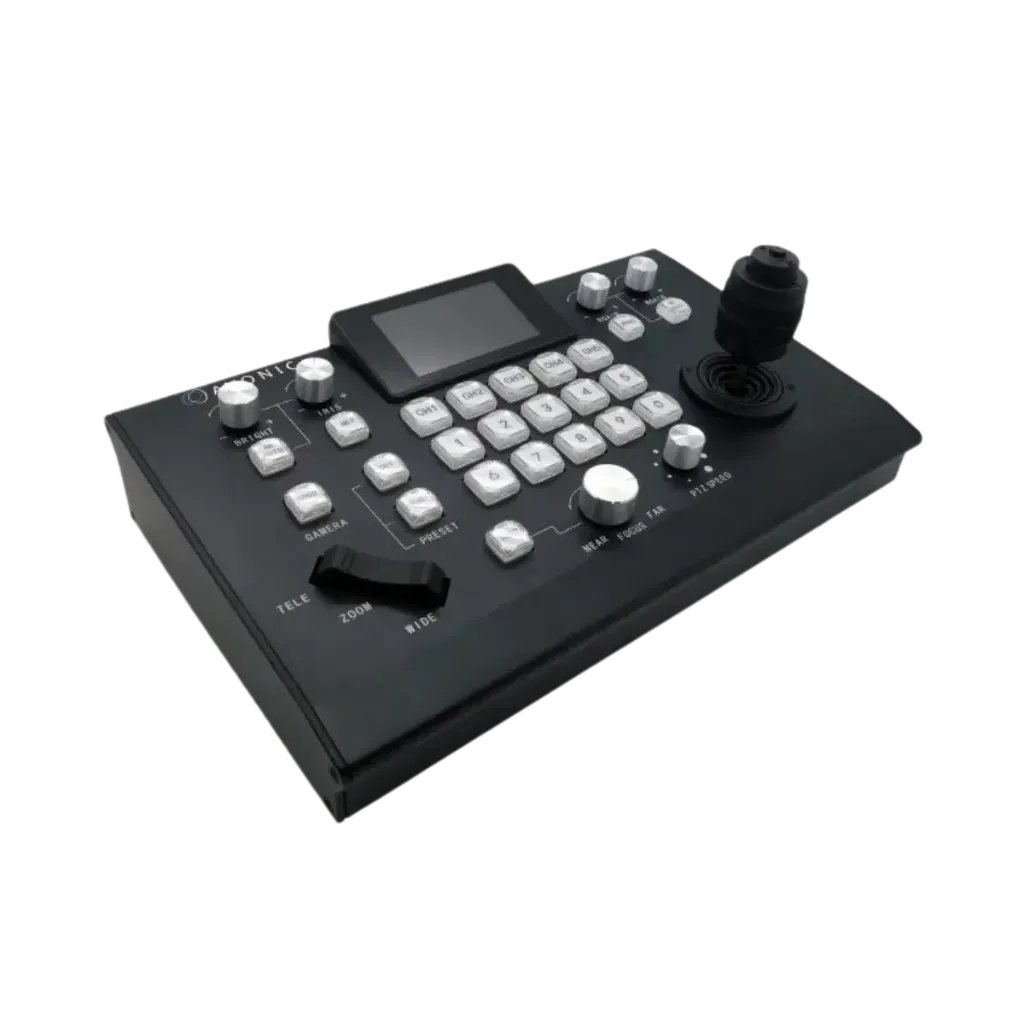
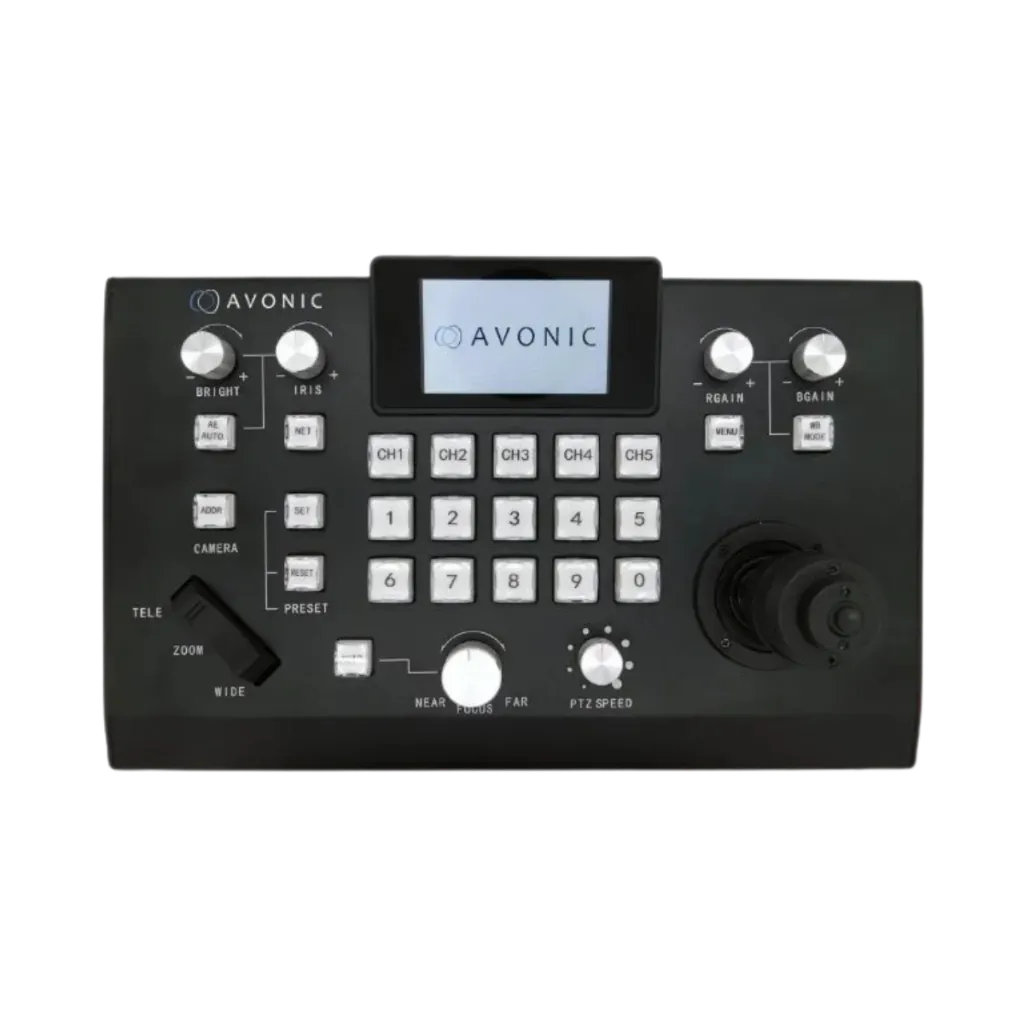
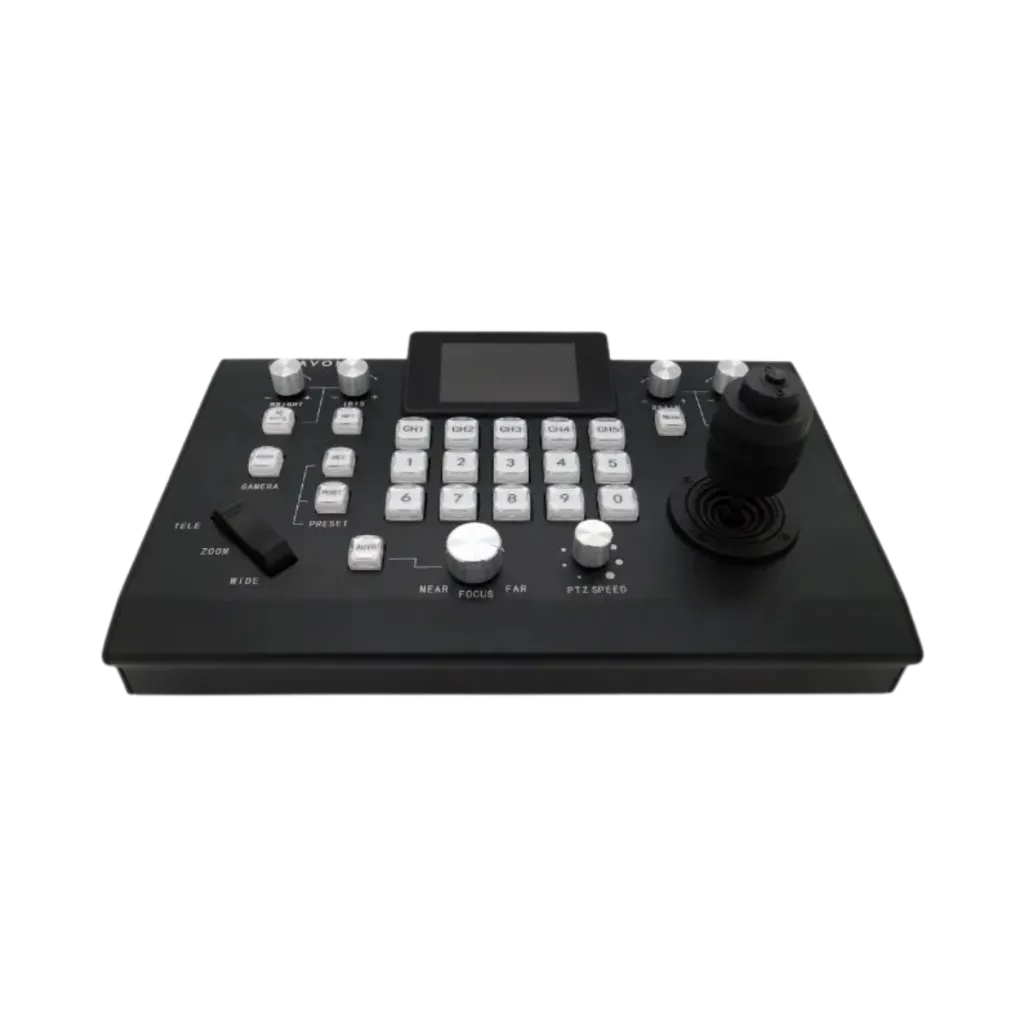
Manage compatible PTZ cameras through IP and serial connections from one controller. A joystick and dedicated controls put camera movement, zoom, focus and presets within reach for professional multi-camera operation.
- IP & Serial Control
- Joystick Operation
- Camera Preset Recall
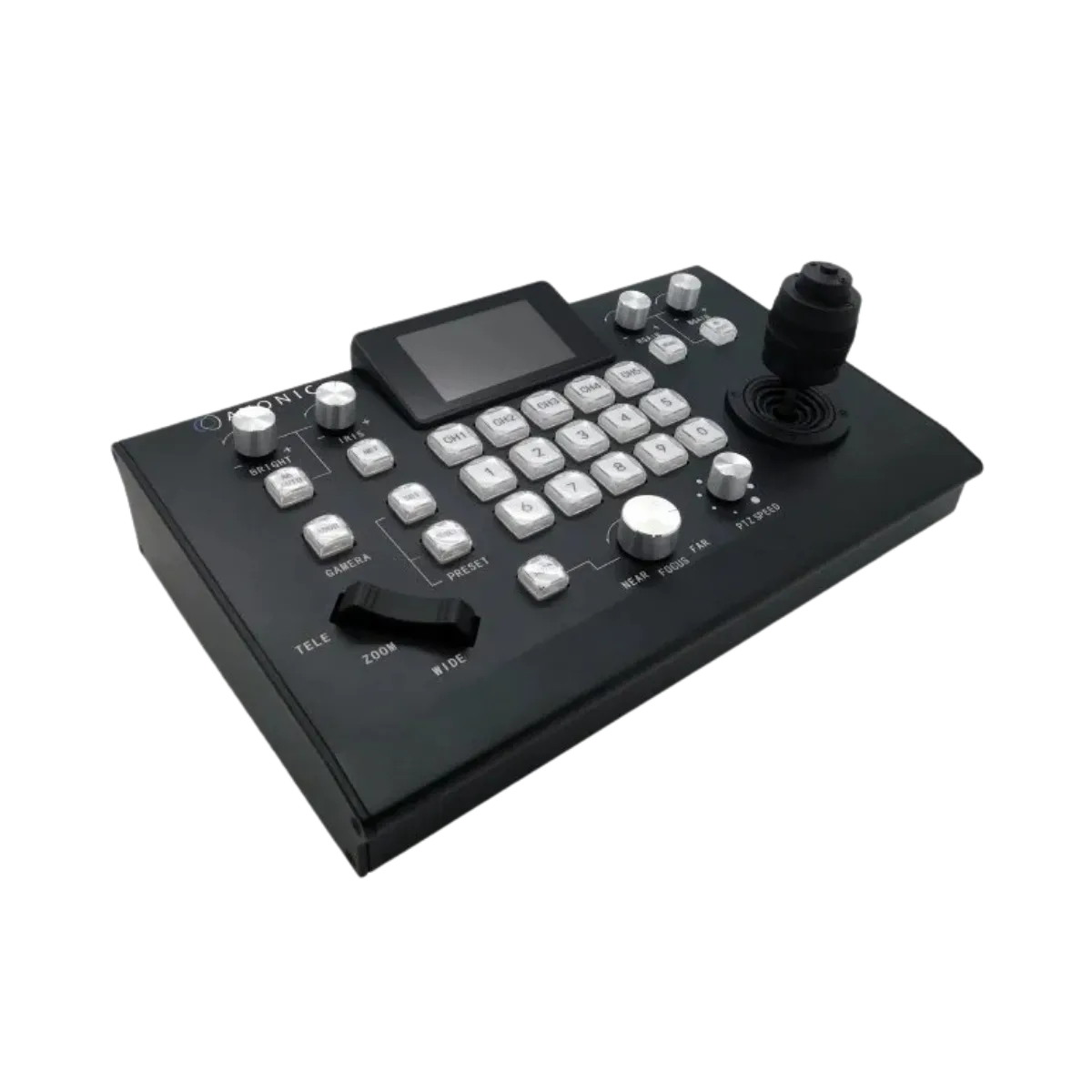
AVONIC · PTZ CAMERA CONTROL
AV-CON300-IP
Hands-On Control.
Flexible Camera Connections.
Manage compatible PTZ cameras through IP and serial connections from one controller. A joystick and dedicated controls put camera movement, zoom, focus and presets within reach for professional multi-camera operation.
- IP & Serial Control
- Joystick Operation
- Camera Preset Recall
AV-CON300-IP · Camera Control
Explore the way you control.
From selecting a camera to opening its on-screen menu, explore the controller’s everyday workflows. Choose a control mode below to see how it works.
Network Camera Control
Connect through your network.
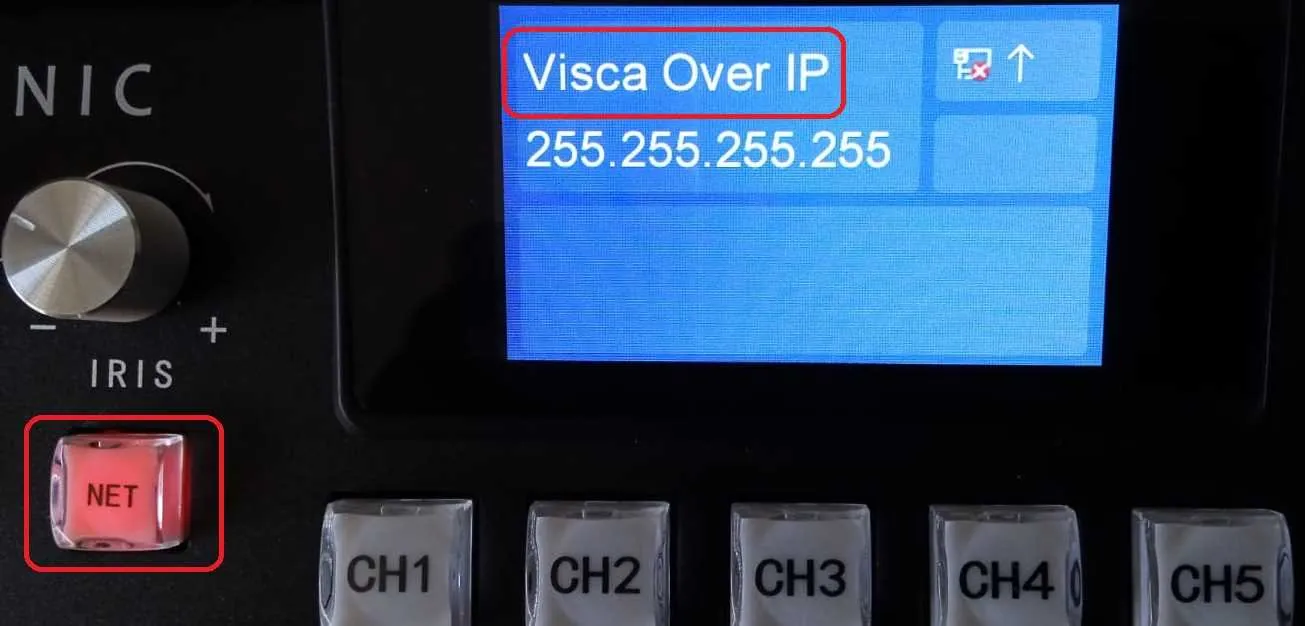
Use VISCA over IP to operate compatible cameras through a LAN switch. Configure the network settings, add your cameras and assign them to control channels.
- Keep the controller and cameras on the same network subnet.
- Add the camera’s IP address through the controller menu.
- Assign a camera to a CH1–CH5 control channel.
Serial Camera Control
A direct connection to your camera.
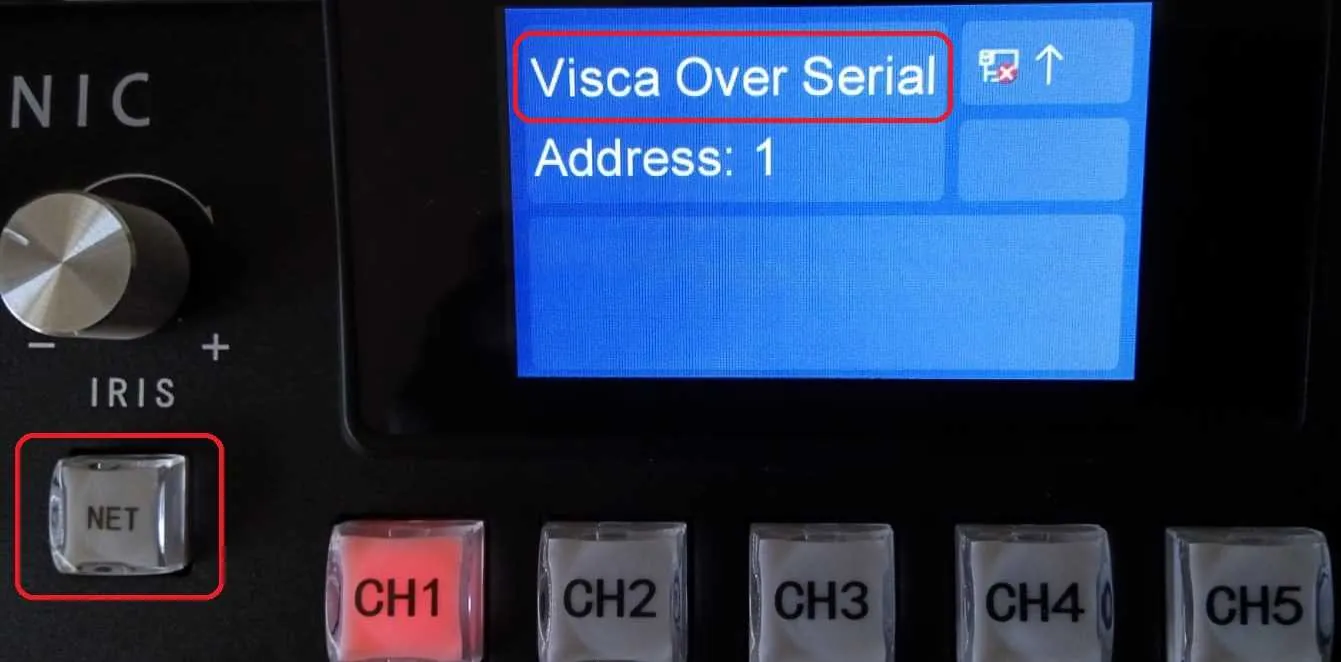
Select serial mode with the NET button and connect using the supplied RJ45-to-DIN-8 cable. Match the communication settings before operating the connected camera.
- Switch between IP and serial modes using the NET button.
- Match the camera address and baud-rate settings.
- Select an assigned camera using the CH1–CH5 buttons.
Dedicated Camera Channels
Your cameras. Clearly assigned.
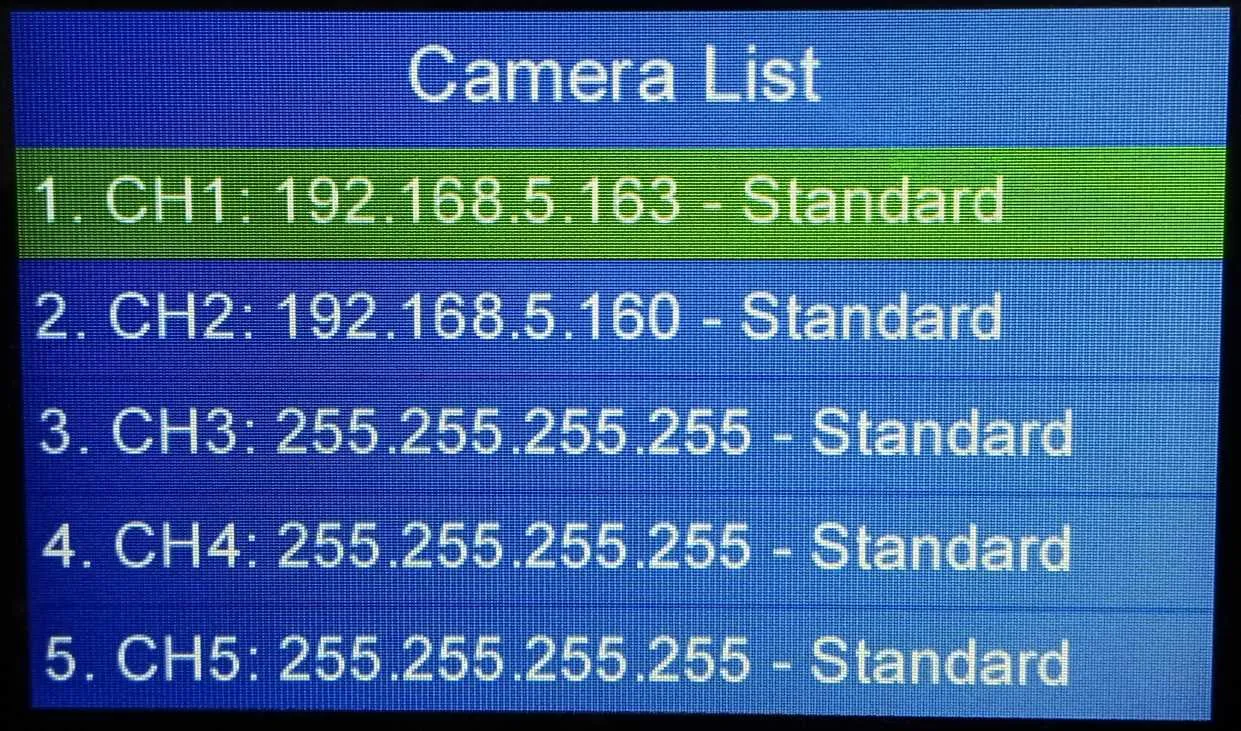
Organise camera assignments through the on-screen Camera List. Dedicated channel buttons let you select the assigned camera for joystick control.
- Assign a unique camera to each CH1–CH5 channel.
- Review IP camera assignments on the controller’s LCD.
- Use the channel buttons to select the camera you want to operate.
Camera Menu Access
Adjust settings from the controller.
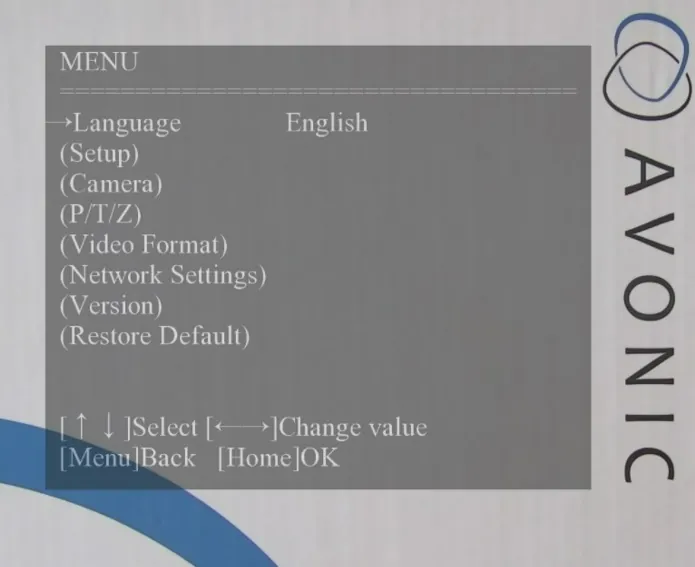
Open the connected camera’s on-screen display to access its supported settings. Navigate the menu using the controller’s physical controls.
- Press and hold MENU to activate OSD mode.
- Use TELE to select and WIDE to go back.
- Use left and right to change menu values.
AV-CON300-IP · Camera Control
Explore the way you control.
From selecting a camera to opening its on-screen menu, explore the controller’s everyday workflows. Choose a control mode below to see how it works.
Network Camera Control
Connect through your network.
Use VISCA over IP to operate compatible cameras through a LAN switch. Configure the network settings, add your cameras and assign them to control channels.
- Keep the controller and cameras on the same network subnet.
- Add the camera’s IP address through the controller menu.
- Assign a camera to a CH1–CH5 control channel.
Serial Camera Control
A direct connection to your camera.
Select serial mode with the NET button and connect using the supplied RJ45-to-DIN-8 cable. Match the communication settings before operating the connected camera.
- Switch between IP and serial modes using the NET button.
- Match the camera address and baud-rate settings.
- Select an assigned camera using the CH1–CH5 buttons.
Dedicated Camera Channels
Your cameras. Clearly assigned.
Organise camera assignments through the on-screen Camera List. Dedicated channel buttons let you select the assigned camera for joystick control.
- Assign a unique camera to each CH1–CH5 channel.
- Review IP camera assignments on the controller’s LCD.
- Use the channel buttons to select the camera you want to operate.
Camera Menu Access
Adjust settings from the controller.
Open the connected camera’s on-screen display to access its supported settings. Navigate the menu using the controller’s physical controls.
- Press and hold MENU to activate OSD mode.
- Use TELE to select and WIDE to go back.
- Use left and right to change menu values.
Key specs
- Camera Capacity: Up to 255 cameras
- Direct Selection: 5 assignable camera channels
- Presets: Up to 10 per camera
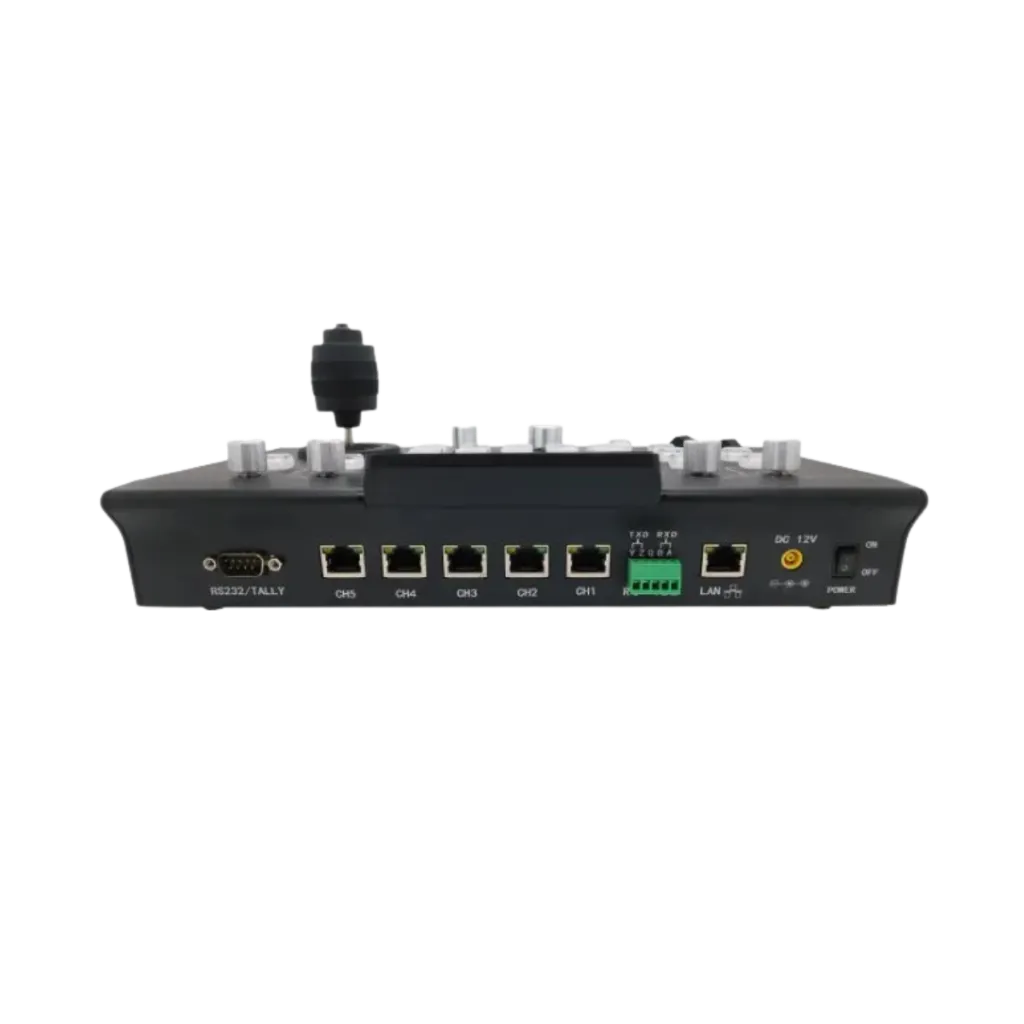
- Connectivity: LAN Ethernet, RS-232 and RS-485
- Protocols: VISCA, VISCA over IP, Pelco-D and Pelco-P
- Operation: Joystick pan, tilt and zoom control
- Adjustments: Focus, iris, brightness and white balance
Avonic AV-CON300-IP Technical Specifications
Review the controller’s camera capacity, supported protocols, connections and operating controls for planning compatible PTZ camera installations.
Camera Capacity & Presets
| Specification | Details |
|---|---|
| Maximum camera capacity | Up to 255 cameras, as specified in the official catalogue |
| Direct camera-selection channels | 5 assignable channels: CH1–CH5 |
| Presets per camera | Up to 10 |
| Preset keys | 0–9 |
| Preset functions | Set, recall and delete |
Protocols & Connections
| Specification | Details |
|---|---|
| Supported protocols | VISCA, VISCA over IP, Pelco-D, Pelco-P |
| Connection interfaces | LAN Ethernet, RS-232, RS-485 |
| VISCA over IP configuration | UDP; port 1259 in the official setup instructions |
| IP address configuration | Manual or DHCP |
| Network requirement | Controller and IP cameras must be on the same subnet |
| Serial connection cable | Supplied RJ45-to-DIN-8 cable |
Camera Operation
| Specification | Details |
|---|---|
| Pan / tilt control | Joystick movement |
| Zoom control | Joystick twist and zoom rocker |
| Home position | Joystick press during camera operation |
| PTZ speed adjustment | Dedicated PTZ speed knob |
| Focus | Auto and manual |
| Direct image adjustments | Iris, brightness, white balance and R/B colour correction |
| Camera menu access | Camera OSD navigation through the controller |
Controller Configuration
| Specification | Details |
|---|---|
| IP / serial mode selection | NET button |
| Menu navigation | Joystick navigation and push-to-select |
| Camera assignment | Assign cameras to CH1–CH5 |
| Zoom rocker calibration | Available through the controller menu |
| Factory reset | Available through the controller menu |
Power
| Specification | Details |
|---|---|
| Supplied power adapter rating | 12 V DC, 2.5 A, as stated in the online manual |
| Power switching | Physical ON/OFF switch |
Know before you buy
Quick answers about the AV-CON300-IP, and how it compares.
What is the Avonic AV-CON300-IP?
How many cameras can the AV-CON300-IP control?
Avonic’s official catalogue specifies support for up to 255 cameras. Five assignable channels, CH1–CH5, provide direct camera selection, with up to 10 presets per camera.
Which cameras and protocols are compatible with the AV-CON300-IP?
Can one controller manage both IP and serial PTZ cameras?
Yes. The AV-CON300-IP supports IP and serial camera control, making it suitable for installations containing both connection types. Camera addresses, protocols and channels must be configured correctly.