



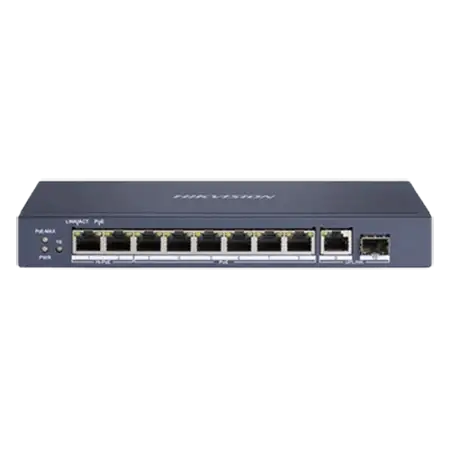
DS-3E0510HP-E
8-Port Gigabit Hi-PoE Switch
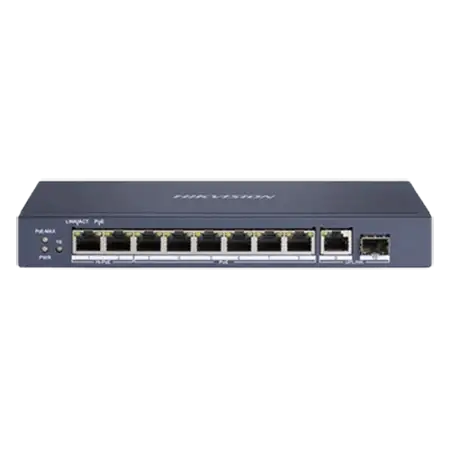
- 8 Gigabit PoE, 2 are Hi-PoE
- Gigabit RJ45 and SFP uplinks
- 110 W PoE budget
- Wire-speed, store-and-forward
DS-3E0510HP-E
8-Port Gigabit Hi-PoE Switch
- 8 Gigabit PoE, 2 are Hi-PoE
- Gigabit RJ45 and SFP uplinks
- 110 W PoE budget
- Wire-speed, store-and-forward
Hi-PoE PoE Ports
Hikvision DS-3E0510HP-E 8 Port Gigabit Unmanaged POE Switch
PoE Ports
6× gigabit PoE port, 2× gigabit Hi-PoE port, 1× gigabit RJ45 port, & 1× gigabit fiber optical port.
PoE Standard
IEEE 802.3at/af/bt standard for Hi-PoE ports & IEEE 802.3at/af standard for PoE ports
PoE Power Budget
110W PoE Power Budget
Network Parameters
MAC Address Table: 4K, Switching Capacity: 20 Gbps, Packet Forwarding Rate: 14.88Mpps
PoE Watchdog
PoE watchdog to auto detect and restart the cameras that do not respond.
Key specs
- 6 × Gigabit PoE (802.3af/at) + 2 × Gigabit Hi-PoE (802.3bt)
- 1 × Gigabit RJ45 + 1 × Gigabit SFP uplink
- PoE budget 110 W
- Switching capacity 20 Gbps, 4K MAC table
- 54 VDC
|
General |
|
|
Shell |
Metal material, fan-free design |
|
Net Weight |
0.59 kg (1.30 lb) |
|
Dimensions (W × H × D) |
217.6 mm × 108.55 mm × 27.8 mm (8.57'' × 4.27'' × 1.09'') |
|
Gross Weight |
0.71 kg (1.57 lb) |
|
Operating Temperature |
0 °C to 40 °C (32 °F to 104 °F) |
|
Storage Temperature |
-40 °C to 85 °C (-40 °F to 185 °F) |
|
Operating Humidity |
5% to 95% (no condensation) |
|
Relative Humidity |
5% to 95% (no condensation) |
|
Power Supply |
54 V DC, 2.22 A |
|
Max. Power Consumption |
120 W |
|
Power Consumption in Idle |
10 W |
|
Installation Mode |
Desk-Mounted |
|
Surge Protection |
6 kV |
|
Network Parameters |
|
|
Ports |
8 × Gigabit PoE port,1 × Gigabit RJ45 port,1 × Gigabit fiber optical port |
|
MAC Address Table |
4 K |
|
Switching Capacity |
20 Gbps |
|
Packet Forwarding Rate |
14.88 Mpps |
|
Internal Cache |
1.5 Mbits |
|
PoE Power Supply |
|
|
PoE Standard |
IEEE 802.3af, IEEE 802.3at, IEEE 802.3bt |
|
PoE Power Pin |
8-pin power: 1/2(-), 3/6(+), 4/5(+), 7/8(-) |
|
PoE Port |
Hi-PoE: Ports 1 to 2 PoE: Ports 3 to 8 |
|
Max. Port Power |
Ports 1 and 2: 90 W Ports 3 to 8: 30 W |
|
PoE Power Budget |
110 W |
|
Dialing Function |
|
|
Long Range |
Ports 7 to 8: up to 300 m Long range performance may vary depend on camera model or cable condition. |
|
Port Isolation |
Ports 1 to 8: port isolation mode to improve network security. |
|
PoE Watchdog |
Ports 1 to 8: auto detect and restart the cameras that do not respond. |
|
Approval |
|
|
EMC |
FCC (47 CFR Part 15, Subpart B),CE-EMC (EN 55032: 2015+A11: 2020, EN IEC 61000-3-2: 2019, EN 61000-3-3: 2013+A1: 2019, EN 50130-4: 2011+A1: 2014, EN 55035: 2017+A11: 2020),IC (ICES-003: Issue 7:2020),RCM (AS/NZS CISPR 32: 2015) |
|
Safety |
UL (UL 60950-1), CB (AMD1:2009, AMD2:2013, IEC 62368-1: 2014 (Second Edition), CE-LVD (EN 62368-1: 2014+A11: 2017) |
|
Chemistry |
CE-RoHS (2011/65/EU) |
Know before you buy
Quick answers about the DS-3E0510HP-E, and how it compares.
What is Hi-PoE (802.3bt)?
Hi-PoE (IEEE 802.3bt) sends much more power on one network cable than normal PoE: up to 90 W on a port of this switch, compared with 30 W for PoE+. Use it for PTZ cameras, cameras with heaters or strong IR, and other high-power devices, so you do not need a separate power supply at the camera. The total PoE budget of the switch still applies.
How many cameras can this PoE switch power?
Two limits apply: the number of PoE ports, and the total PoE budget in watts. Add up the maximum power of each camera from its datasheet and keep about 20% spare. Example: 16 cameras at 6 W each need 96 W, plus 20% is about 115 W, so a switch with a 125 W budget or more is right. A PoE port (802.3af) gives up to 15.4 W and a PoE+ port (802.3at) up to 30 W. PTZ cameras and cameras with heaters, strong IR or strobe lights need PoE+ or Hi-PoE (802.3bt). Not sure? Send us your camera list and we size it for you.
Unmanaged, smart or managed switch: which one do I need?
Unmanaged switches are plug and play, with nothing to set up: good for small systems. Smart (web managed) switches add a web page and app view for VLANs, port status, cable checks and, on many models, PoE watchdog, so you can find and fix problems from your desk. Managed (Layer 2+ or Layer 3) switches add full control, routing and ring protection for large sites, campuses and city projects. For most CCTV jobs with 8 to 48 cameras, a smart PoE switch is the best value. Ask us if you are not sure.
What are the SFP fiber ports for?
SFP and SFP+ ports take a small plug-in fiber module, sold separately. Use them to link the switch to the NVR room or main switch when the distance is over 100 m (330 ft), or between buildings. Fiber carries no electricity, so it also stops surges travelling between buildings. Choose single-mode or multi-mode modules to match your fiber cable, and use a matching pair of modules at the two ends. Ask us for the right modules and cable.