


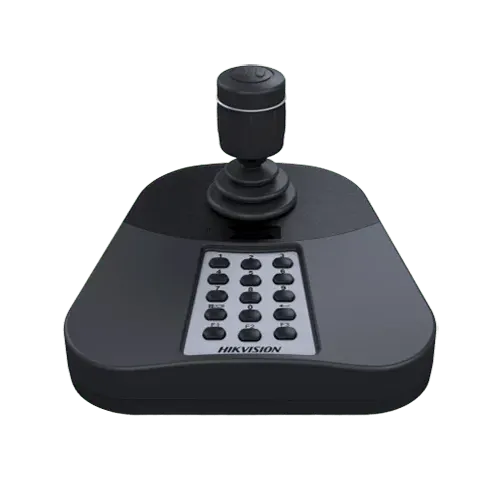
DS-1005KI
USB PTZ Keyboard with Joystick for iVMS-4200
- Plugs into the PC by USB, no power supply
- 4-axis joystick: pan, tilt, zoom, rotate
- Controls PTZs through iVMS-4200
- Function buttons, Windows 7 to 11
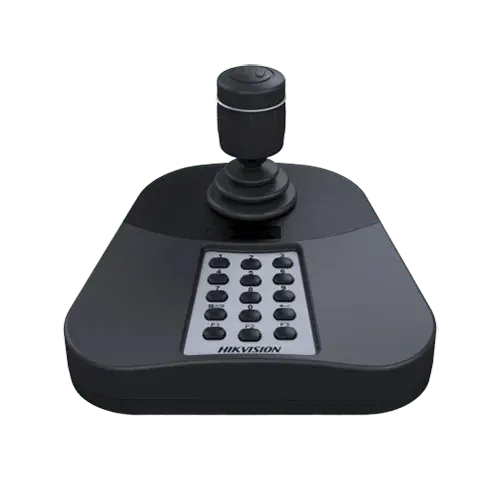
DS-1005KI
USB PTZ Keyboard with Joystick for iVMS-4200
- Plugs into the PC by USB, no power supply
- 4-axis joystick: pan, tilt, zoom, rotate
- Controls PTZs through iVMS-4200
- Function buttons, Windows 7 to 11

Power
Power Supply and Communication by USB Port Directly
PTZ Control
3D PTZ Control and 2 Joystick Control Buttons
Plug & Play
Simple interface and easy operation
Key specs
- USB keyboard with joystick for the PC running iVMS-4200 (and other platforms by USB HID / DirectX)
- Controls PTZ cameras, NVRs and DVRs through the software: 4-axis joystick (3 axes plus rotating zoom) and function buttons
- USB 2.0, powered from the PC (5 V); no network set-up
- Windows XP to Windows 10 listed; works on later Windows through DirectX
- -10 to 55 °C (14 to 131 °F); 167 x 116 x 177.5 mm; CE, UL, FCC
General | |
Interface Type | USB 2.0, DirectX |
Control | Joystick (3-axis control, rotating zoom) |
Dimensions (W × D × H) | 167×177.5×116mm (6.57” ×6.99” × 4.57”) |
Operating Temperature | -10°C ~ 55°C (14°F ~ 131°F) |
Operating Humidity | 10%~90% (Non-condensing) |
Power Supply | 5V DC via USB |
Consumption | ≤ 5W |
Know before you buy
Quick answers about the DS-1005KI, and how it compares.
Which keyboard do I need, and does a PTZ need one?
No PTZ needs a keyboard; the NVR, the app and iVMS-4200 all control it. A keyboard is for an operator who sits in front of screens all day: a joystick is faster and less tiring than a mouse. DS-1005KI plugs into the PC running iVMS-4200 by USB. DS-1200KI connects to cameras and recorders directly over the network, no PC. DS-1100KI and DS-1600KI add a touch screen with live view and control a video wall through decoders and HikCentral.
Can I buy this online?
Hikvision security products are installed products, so we start with a free pre-sales consultation: our engineers suggest the right model and everything that goes with it for your site and send a quote. Use Request a Quote on this page, contact us or WhatsApp +92 300 ESCO 301. Offices in Karachi, Lahore, Islamabad and Rawalpindi. 1 year carry-in warranty.
Do I need a keyboard, or can software do it?
iVMS-4200 and HikCentral control PTZ cameras and video walls from a mouse. A keyboard with a joystick is for a control room where an operator drives cameras all day: smoother pan and zoom, presets on one key, and no PC needed for the simpler models. Many control rooms run both.