


DICENTIS Flush range
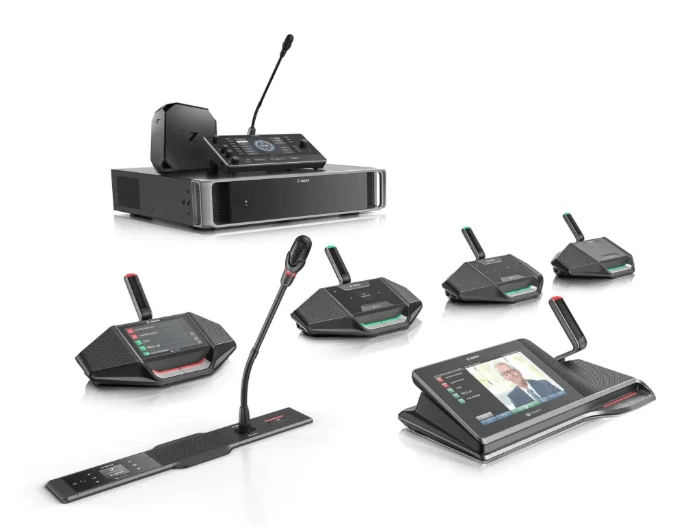
Modular, IP-based conferencing with cost-effective installation convenience
DICENTIS Flush range
Modular, IP-based conferencing with cost-effective installation convenience
Bosch DCNM-FPRIOB Product Highlights
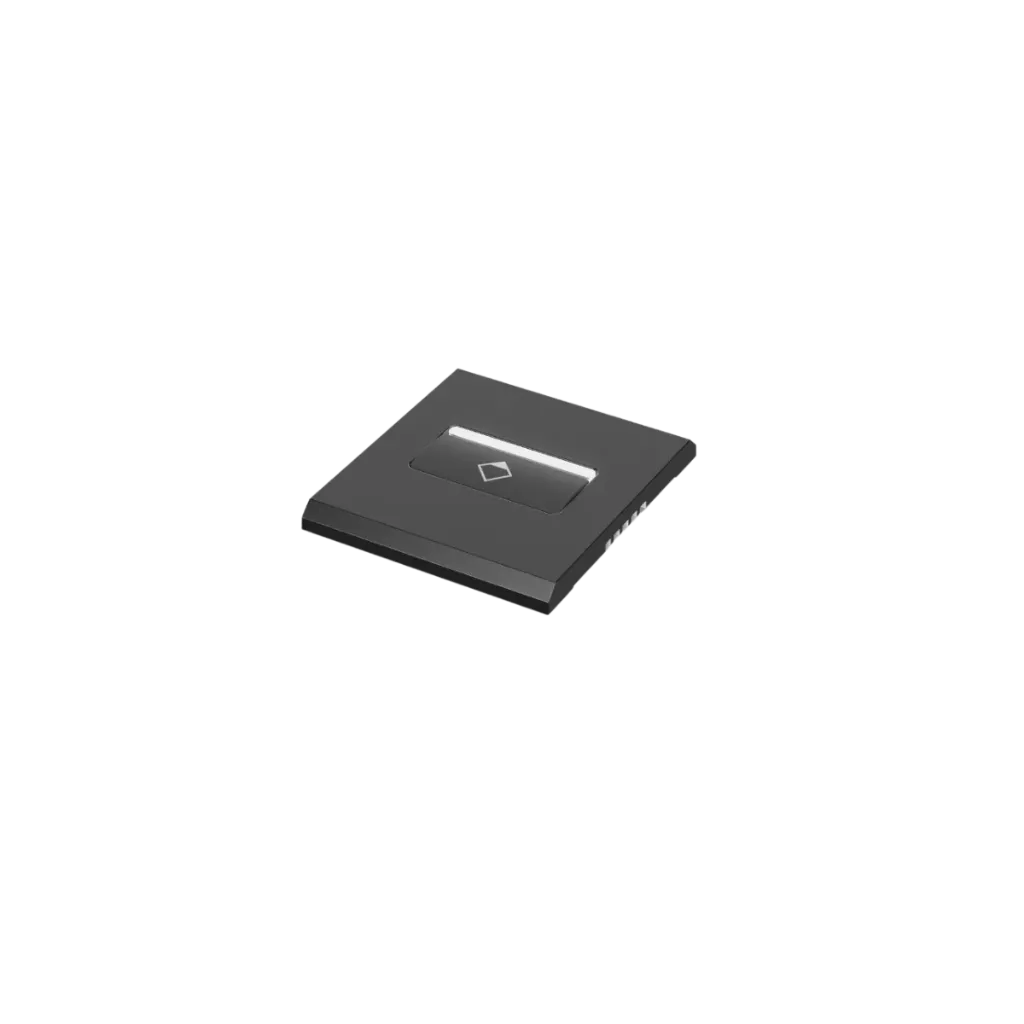
Explore the core features of the Bosch DCNM-FPRIOB Flush Priority Button Panel, including priority control, LED status indication, flexible RJ12 connectivity and flush installation options.
Priority Control Button
Dedicated priority on/off button for DICENTIS conference control.
LED Status Indication
Integrated LED bar shows white when speaking is possible and red when priority is active.
Dual RJ12 Connectivity
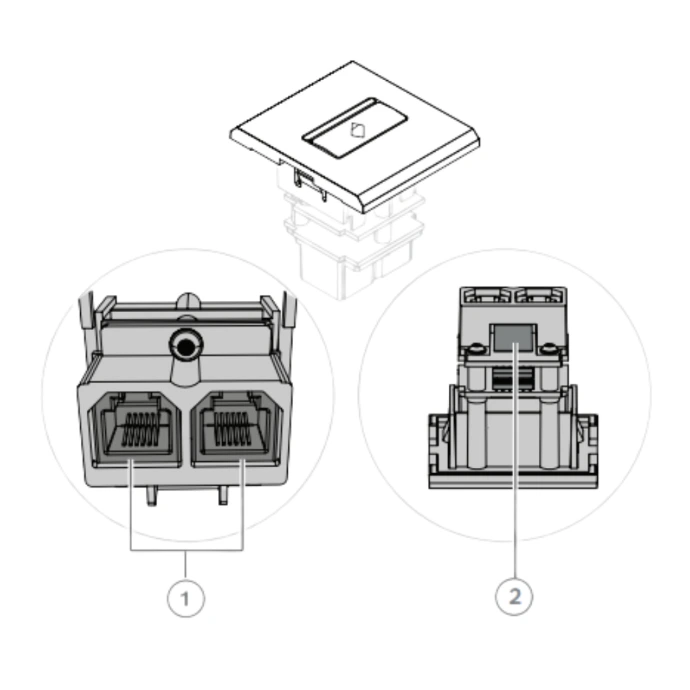
Two RJ12 connectors provide connection to the flush base device and support loop-through wiring.
Daisy-Chain Installation
Supports daisy-chain connection with other compatible DICENTIS flush devices.
DCNM-FMCP Integration
Can connect to the DCNM-FMCP in applicable configurations to support microphone LED and pre-amplifier operation.
Flush-Mount Design
Designed for flush installation in a 2 mm metal panel or with Bosch flush mounting accessories.
DCNM-FPRIOB Connection & Priority Control
See how the Bosch DCNM-FPRIOB Flush Priority Button Panel connects to the DCNM-FBD2, other button panels and DCNM-FMCP, including loop-through wiring and priority-control requirements.
DCNM-FPRIOB Connection Reference
Enhanced User Experience
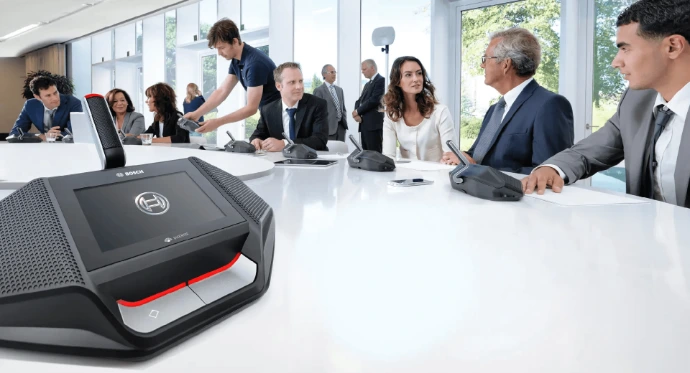
High-quality loudspeakers and microphones deliver clear audio, even when active together. Shock-mount design reduces noise, while identification secures voting. Language selection is automated for participant convenience.
Easy Integration
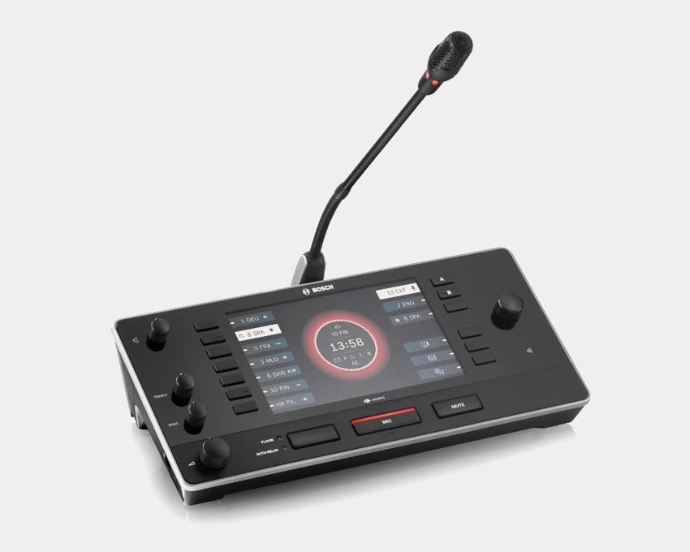
Flush modules work seamlessly with DICENTIS tabletop devices and the interpreter desk. Settings are adopted instantly without restart, while the server-based system supports third-party apps, cloud services, and remote maintenance.
Easy, Cost-Effective Installation
The DICENTIS Flush Range offers a modular design for any meeting type. It supports future upgrades, uses existing IP and PoE, and installs quickly with a click-to-fit mechanism. Sharing the Bosch DCN footprint, it allows easy replacement. Dual-seat setups can host up to four delegates, saving space and cost.
Versatile Microphone Options
Compact flush microphones fit where space is limited. The audio interface connects third-party microphones, supports extra inputs, and provides 48 V phantom power.

Structured Meetings
The modular design empowers specifiers and installers to tailor the system to different meeting types. With dual-seat setups supporting up to four delegate positions, meetings can be organized efficiently while saving space and cost.

Convenient Language Selection
Headphone language selection can be automated, ensuring participants quickly access their preferred interpretation channel. Seamless integration with the DICENTIS interpreter desk provides a fully ISO-compliant interpretation solution.

Parliamentary-Style Voting
Identification-based access allows controlled voting functionality, preventing fraud and ensuring accurate results. Voting can be managed directly through the DICENTIS Flush modules for structured decision-making.
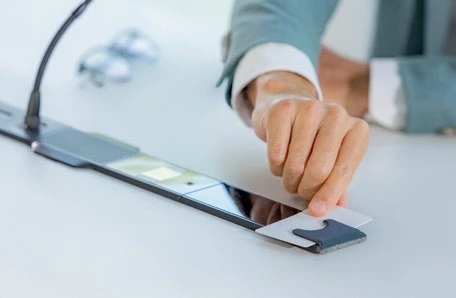
Quick Identification
Each participant’s identification enables secure access to system features such as voting and language selection. This ensures smooth authentication and prevents unauthorized use during sessions.
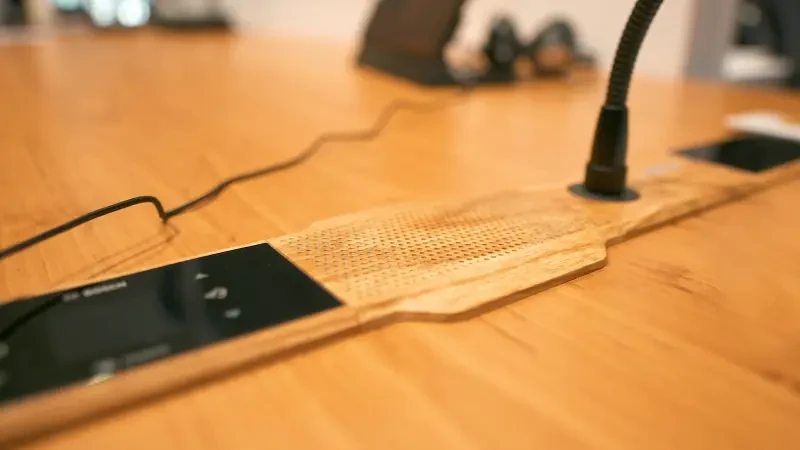
Customize your DICENTIS Flush in wood, stone, metal or RAL color
Match DICENTIS Flush devices to any interior. System integrators, architects and end users can order custom finishes from the RAL Classic and RAL Design color palettes, or choose from a wide range of wood, stone and metal designs.
Lets Talk!
Get in touch for a free consultation, survey, pricing and demonstration session.
Key specs
- Priority on / off button
- LED bar: white possible to speak, red priority
- 2 x RJ12: DCNM-FBD2 and loop-through
- 30 cm control cable included
- Powers and controls the DCNM-FMCP
- 56 x 50 x 46 mm, 43 g
- Click-to-fit, RAL 9017 Traffic black
Bosch DCNM-FPRIOB Flush Priority Button Panel Technical Specifications
| Category | Specification | Official Value |
|---|---|---|
| Product Overview | Product type | Flush priority button panel |
| System | DICENTIS | |
| Quantity supplied | 1 × DCNM-FPRIOB Flush priority button panel | |
| Included cable | 1 × 30 cm control cable | |
| Controls & Indicators | Priority control | 1 × microphone priority button |
| LED indication | White: possible to speak | |
| Red: priority active | ||
| Connectivity | Connectors | 2 × RJ12 connectors |
| Primary connection | To DCNM-FBD / DCNM-FBD2 Flush base device | |
| Loop-through | Supports daisy-chain connection to other devices | |
| Additional connection | Connection to DCNM-FMCP in applicable configurations | |
| Mechanical | Mounting type | Click-to-fit in a 2 mm metal panel, or with DCN-FCOUP Flush coupling + DCNM-FEC Flush end cap |
| Dimensions (H × W × D) | 56 × 50 × 46 mm | |
| Dimensions (H × W × D) | 2.20 × 2 × 1.80 in | |
| Weight | 43 g / 0.09 lb | |
| Colour | RAL 9017 Traffic Black | |
| Environmental | Environmental classification | IEC 60721: storage 1K3, transportation 2K2, operational 3K4 |
| Operating temperature | 5 °C – 45 °C / 41 °F – 113 °F | |
| Transportation temperature | -30 °C – 70 °C / -22 °F – 158 °F | |
| Storage temperature | -5 °C – 45 °C / 23 °F – 113 °F | |
| Operating relative humidity | 5% – 90%, non-condensing | |
| Identification | CTN / Model | DCNM-FPRIOB |
| Material / Product Number | F.01U.383.839 |
Know before you buy
Quick answers about the DCNM-FPRIOB, and how it compares.
What do the lights on the DCNM-FPRIOB mean?
The LED bar above the priority button shows white when it is possible to speak and red when priority is on.
How does the DCNM-FPRIOB connect?
DCNM-FMICB or DCNM-FPRIOB: which button panel?
| DCNM-FMICB | DCNM-FPRIOB | |
|---|---|---|
| Button | Microphone on / request to speak | Priority on / off |
| LED bar | Red: microphone on Green: on the waiting list White: possible to speak | White: possible to speak Red: priority on |
| Connection | RJ12 to the DCNM-FBD2, daisy-chain | 2 x RJ12: FBD2 and loop-through, 30 cm cable included |
| Size | 56 x 50 x 46 mm, 43 g | |
Use the FMICB at participant seats and the FPRIOB at seats with priority, such as the chairperson. Either one powers and controls the DCNM-FMCP microphone panel next to it.
What else do I need for a flush-mounted seat?
A DICENTIS Flush seat is built around the DCNM-FBD2 flush base device, fitted under the table or seat, in an armrest, on a wall or in a cable duct. Pick the panels the seat needs and cable them to the FBD2:
- Microphone: DCNM-FMCP connection panel with a DCNM-MICSLS (310 mm) or DCNM-MICSLL (480 mm) screw-lock microphone, plus a DCNM-FMICB microphone button or DCNM-FPRIOB priority button. The button panel also powers the FMCP.
- Loudspeaker: DCNM-FLSP.
- Language selection: DCNM-FSLP and headphones.
- Voting: DCNM-FVP.
- Identification: DCNM-FIDP with the DCNM-FICH card holder (ask us).
- No space on the table: DCNM-FHHC handheld microphone through a DCNM-FAI flush audio interface (ask us).
In dual use, one FBD2 serves up to four participants, two sharing each microphone and loudspeaker. For mounting, add DCN-FCOUP couplings, DCNM-FEC end caps and DCNM-FPT positioning tools. The FBD2 joins the system with DICENTIS system cables, powered from the DCNM-APS2 or DCNM-PS2.
How are DICENTIS Flush panels mounted?
Every panel clicks into a 2 mm metal panel. In wood or any other surface, fit them with DCN-FCOUP flush couplings and finish both ends of the row with DCNM-FEC end caps (set of 50). DCNM-FPT positioning tools help place the couplings and include a template for the loudspeaker cut-out.
DICENTIS Flush uses the same installation footprint as Bosch DCN Flush devices (except the loudspeaker panel), so an older DCN Flush installation can be replaced without major rework.
Who supplies Bosch DICENTIS in Pakistan, and what warranty do I get?
Electronic Security Company (ESCO) is the only authorized distributor of Bosch, Dynacord and Electro-Voice in Pakistan, so every DICENTIS product is genuine and comes with a 3-year warranty. Warranty is carry-in: bring the unit to an ESCO office and after inspection it is repaired or replaced as needed.
We supply, design and install complete conference and voting systems for parliaments, government offices, boardrooms and auditoriums, with after-sales service nationwide. Prices are quoted per project: tell us your room and number of seats and we will send a quote.